Overview
This tutorial provides the basic usage of fluid mesh generation, importing BREP, STEP, or STL format files, automatically generating volume meshes by passing mesh generation control parameters through JSON files.
Function Description
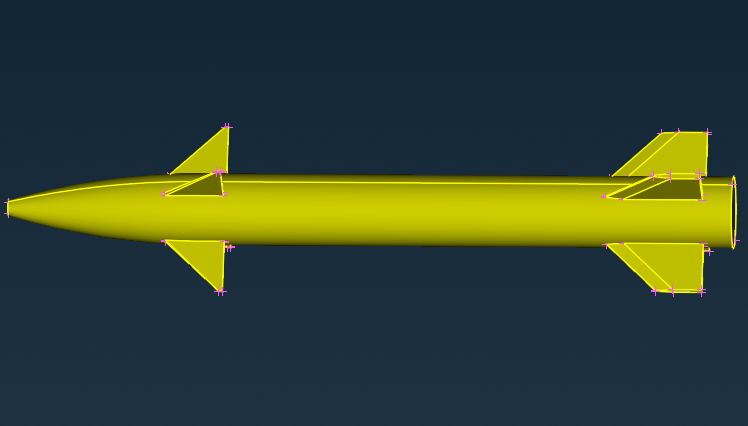
For the imported CFD geometry model with a far-field, a 3D HexCore hybrid mesh is generated in the outflow field region by defining appropriate material point locations.
Input: CFD model with an outflow field region; Output: 3D HexCore hybrid mesh.
Model Description
Basic JSON Configuration
The following is the basic JSON configuration. MeshingMethod is used to specify the generation algorithm and should be configured as "HexCore"; MaterialPoint is a coordinate in space, which can be any point in the external flow field; LocalSizeField is the size field and must be configured as AutomaticField type.
{
"MeshSize": [
{
"CurvatureFactor": 0.2,
"GrowthRate": 1.2,
"MaxSize": 500,
"MeshingMethod": "HexCore",
"MaterialPoint":[-3458,3016.5,-1498],
"MeshingDim": 3,
"MinSize": 2,
"SelectedEntities": []
}
],
"LocalSizeField": {
"BGField": 1,
"AutomaticField": {
"CurvatureFactor": 0.2,
"NarrowRegionResolution2D":0.5,
"GrowthRate": 1.2,
"Tag": 1
}
},
"ThreadNum": 1
}
Complete Example
#include <nlohmann/json.hpp>
#include <fstream>
int main()
{
const std::string jsonPath = "./data/Canard.json";
std::string pts_path = "./data/Canard_repair_fluid.step";
nlohmann::json paraJ = nlohmann::json::parse(std::ifstream(jsonPath));
meshapi.
Write(
"result", OutFileType::VTK);
}
Class of model in NextMesh.
Definition NMAPIModel.hpp:22
AMCAX_API void ImportModel(const std::vector< NMShape > &shapes, const bool replace=true)
Load a cad model represented by AMCAX TopoShape. Note: this import method does not specify any entity...
AMCAX_API void GenerateMesh(const std::string &configJson)
Generates the mesh for the current model based on provided configuration parameters.
AMCAX_API NMMesh GetMesh()
Get the mesh handle. Note one model only holds a unique mesh.
static AMCAX_API void InitLogger(const std::string &logFileName="", const std::string &logPattern="[%Y-%m-%dT%X%z] [%l] %v", const int64_t logFileSize=20 *1024 *1024, const int maxLogFiles=100)
set the logger. the logger is closed by default, if this function is not called
AMCAX_API void Write(const std::string &fileName, const OutFileType ft=OutFileType::AUTO, const OutParams &outP={})
Write the mesh to the file in the specified format.
Base class of shape, containing an underlying shape with a location and an orientation.
Definition TopoShape.hpp:15
Namespace of all interface in the AMCAX NextMesh module.
Definition misc.docu:42
Namespace of all interface in the AMCAX kernel.
Definition misc.docu:8
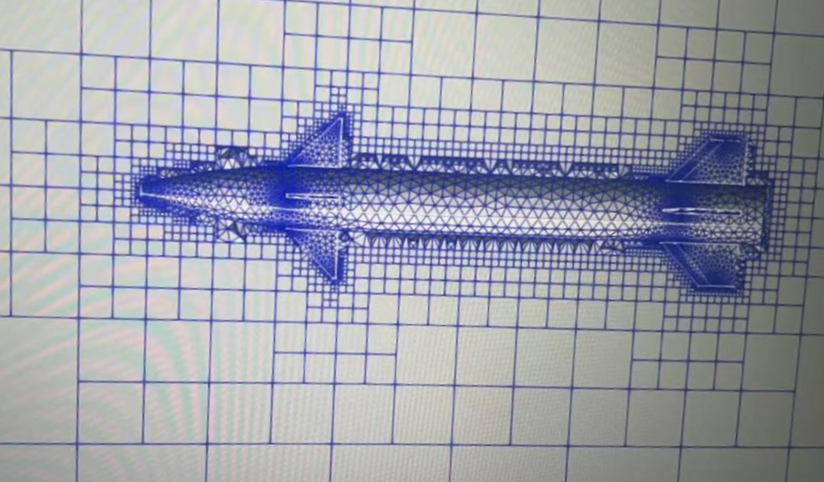
Mesh generation results are shown below:
Click here to download the complete source code for the above examples. Please download it as needed for your learning purposes.


 1.13.2