Coord
Construction
Using the default constructor will result in the origin of coordinates. You need to input floating-point numbers when constructing. Also, all geometries only support input of floating-point numbers, which will not be specifically mentioned in the future.
Coord3(Three-Dimensional Coordinate)
The class of Cartesian coordinates.
Definition: CoordT.hpp:193
Coord2(Two-Dimensional Coordinate)
Get and Modify
Get
You can use the following two methods to get the value of a particular dimension of the coordinate.
double x = crd.X();
double y = crd.Y();
double z = crd.Z();
double x2 = crd[0];
double y2 = crd[1];
double z2 = crd[2];
Modify
You can modify the value of a particular dimension of the coordinate using the following two methods.
crd.SetXYZ(1.0, 0.0, 2.1);
crd.SetX(0.5);
crd.SetY(0.5);
crd.SetZ(0.5);
Common Function
Operation
Support addition, subtraction, scalar multiplication, dot product, cross product, and also support == and !=.
Addition and Subtraction
Scalar Multiplication
Dot Product
double t = crd1.Dot(crd2);
Cross Product
== and !=
== and != can be used to compare coordinates and their respective dimensions.
double result1 = crd1 == crd2;
std::cout << result1 << std::endl;
double result2 = crd1 != crd2;
std::cout << result2 << std::endl;
double result3 = crd1.Y() == crd2.Y();
std::cout << result3 << std::endl;
Norm
The kernel support calculating the norm (magnitude) of the coordinate and normalizing the coordinate.
Magnitude
double length = crd1.Norm();
Normalization
There are two ways to normalize a coordinate: one does not change the coordinate itself and creates a new coordinate, while the other directly modifies the coordinate.
CoordT Normalized() const
Normalized coordinate.
Definition: CoordT.hpp:540
CoordT & Normalize()
Normalize the coordinate.
Definition: CoordT.hpp:528
Output and Input
The kernel support outputting coordinates using << and inputting with >>.
Output
std::cout << crd1 << std::endl;
Input
std::istringstream is("0.0 1.0 2.0");
is >> crd7;
Point
Construction
Using the default constructor will result in the origin. It can either be directly created or constructed based on Coord3/Coord2.
Coord3(Three-Dimensional Point)
Coord2(Two-Dimensional Point)
Get and Modify
Get
You can use the following two methods to get the value of a particular dimension of the point.
double x = p1.X();
double y = p1.Y();
double z = p1.Z();
double x2 = p1[0];
double y2 = p2[1];
double z2 = p3[2];
Modify
You can modify the value of a particular dimension of the point using the following two methods.
p1.SetCoord(1.0, 0.0, 2.1);
p1.SetX(0.5);
p1.SetY(0.5);
p1.SetZ(0.5);
Common Function
Operation
The kernel does not support arithmetic operations (addition, subtraction, multiplication, division) on points. In fact, most geometries do not support arithmetic operations, except for Coord. This will not be explained further. However, if you need to perform arithmetic on points, you can first obtain the point's Coord, then perform operations on the Coord:
const Coord3& crd3 = p1.Coord();
const Coord3& crd4 = p2.Coord();
const Coord3& crd5 = crd3 + crd4;
Coord3d Coord3
3D coordinate
Definition: CoordT.hpp:2706
Calculate the Distance Between Two Points
double dis = p1.Distance(p2);
Transformation
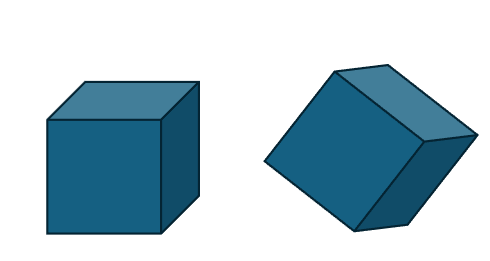
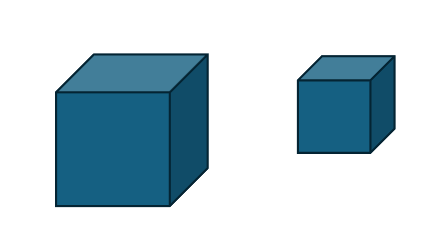
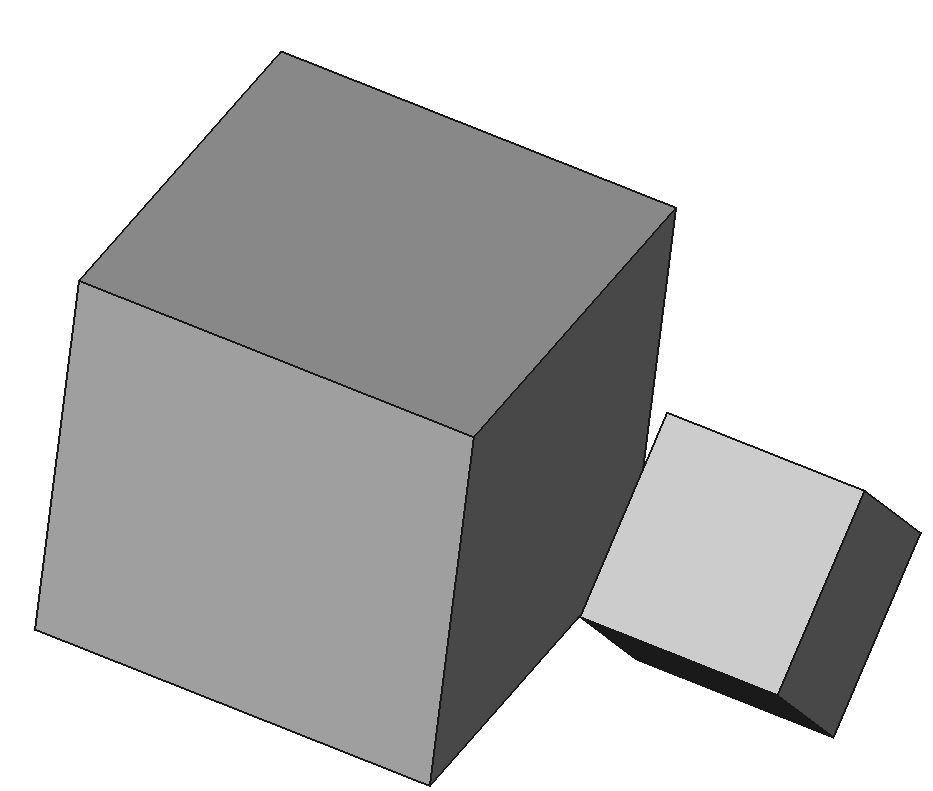
Most geometries support transformations such as translation, rotation, mirror, and scale, which will not be explained further.
Translation Transformation
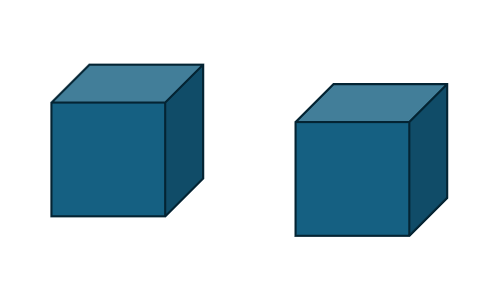
Class of making a box.
Definition: MakeBox.hpp:18
Base class of shape, containing an underlying shape with a location and an orientation.
Definition: TopoShape.hpp:15
Rotation Transformation
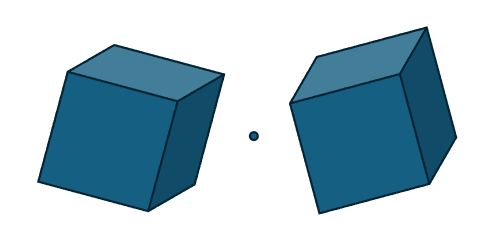
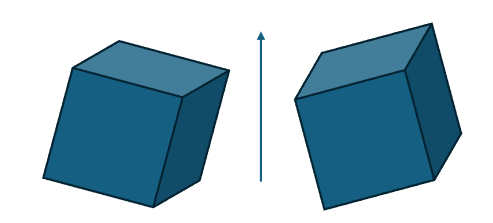
Mirror Transformation
Point Mirror
Axis Mirror
Plane Mirror
Uniform Scale Transformation
Composite Transformation
The formula for composite transformation is sRx+bsRx+b, where ss is the scaling factor, RR is the rotation matrix, xx is the coordinate to be transformed, and bb is the translation vector.
For example, constructing the following transformation: first rotate around the x-axis by π/4π/4, then scale by a factor of 0.2, and finally translate 1 unit along the x-axis:
Class of quaternion.
Definition: QuaternionT.hpp:19
Transforming an Object from Local Coordinate System to Global (or Another Coordinate System)
Construct a transformation so that the object in the local coordinate system f2={O=(1,0,0), OZ=(1,1,0), OX=(0,0,1)}is transformed to the global coordinate system:
Transforming Frame 1 by Translating and Rotating to Frame 2
Construct a transformation to change the global coordinate frame to another frame f2={O=(1,0,0), OZ=(1,1,0), OX=(0,0,1)}:
Multiplying Transformations
trans1 * trans2。which applies trans2 first, then trans1:
Vector and Direction
Vector3 refers to a mathematical vector with both direction and length, while Direction3 has only direction, with a magnitude of 1.0.
Construction
std::cout << vec << ' ' << dir << std::endl;
std::cout << vec1 << ' ' << dir1 << std::endl;
std::cout << vec2 << ' ' << dir2 << std::endl;
std::cout << vec3 << std::endl;
Get and Modify
The access and modification methods for vectors and directions are similar to the Coord class, except that directions are automatically normalized.
Get
To get a particular dimension's value of a vector or direction:
double x2 = vec[0];
double y2 = vec[1];
double z2 = vec[2];
double x4 = dir[0];
double y4 = dir[1];
double z4 = dir[2];
const Scalar & X() const noexcept
Get the x component, only available when DIM >= 1.
Definition: DirectionT.hpp:181
const Scalar & Z() const noexcept
Get the z component, only available when DIM >= 3.
Definition: DirectionT.hpp:197
const Scalar & Y() const noexcept
Get the y component, only available when DIM >= 2.
Definition: DirectionT.hpp:189
const Scalar & Z() const noexcept
Get z-coordinate, only available when DIM >= 3.
Definition: VectorT.hpp:166
const Scalar & X() const noexcept
Get x-coordinate, only available when DIM >= 1.
Definition: VectorT.hpp:150
const Scalar & Y() const noexcept
Get y-coordinate, only available when DIM >= 2.
Definition: VectorT.hpp:158
Modify
To modify a particular dimension's value of a vector or direction:
void SetX(const OtherScalar &x)
Set x component of the direction, with normalization, only available when DIM >= 1.
Definition: DirectionT.hpp:126
void SetZ(const OtherScalar &z)
Set z component of the direction, with normalization, only available when DIM >= 3.
Definition: DirectionT.hpp:150
void SetY(const OtherScalar &y)
Set y component of the direction, with normalization, only available when DIM >= 2.
Definition: DirectionT.hpp:138
void SetCoord(T... vs)
Set the coordinate by components, with normalization.
Definition: DirectionT.hpp:77
void SetY(const OtherScalar &y) &noexcept
Set y-coordinate, only available when DIM >= 2.
Definition: VectorT.hpp:108
void SetCoord(T... vs) &
Set the component values.
Definition: VectorT.hpp:81
void SetX(const OtherScalar &x) &noexcept
Set x-coordinate, only available when DIM >= 1.
Definition: VectorT.hpp:99
void SetZ(const OtherScalar &z) &noexcept
Set z-coordinate, only available when DIM >= 3.
Definition: VectorT.hpp:117
Common Operation
Operation
Vectors can be added, subtracted, and scaled by a number. Directions do not support addition and subtraction. Both vectors and directions support dot and cross products, similar to the Coord class.
Addition and Subtraction
Scalar Multiplication
Dot Product
double t = vecc.Dot(vec1);
double t2 = dirr.Dot(dir1);
Cross Product
auto Cross(const DirectionT< OtherScalar, DIM > &other) const
Cross product.
Definition: DirectionT.hpp:330
auto Cross(const VectorT< OtherScalar, DIM > &other) const
Cross product operator.
Definition: VectorT.hpp:428
Angle
The kernel supports computing angles. The Angle() method calculates the angle between vectors, with a range of [0.0, pi]. The AngleWithRef() method computes the angle with a reference direction in 2D, with a range of [-pi, pi]. The sign of the angle depends on whether the coordinate system is right-handed or left-handed.
AMCAX::Direction3 ddir(1.0, 0.0, 0.0), other_dir(0.0, 0.5, 0.5), ref_dir(0.0, 0.0, 1.0);
double angle1 = ddir.Angle(other_dir);
double angle2 = ddir.AngleWithRef(other_dir, ref_dir);
Note: In 2D, only Angle() should be used to calculate rotation.
Additionally, the methods IsOpposite() and IsParallel() can be used to check if vectors or directions are opposite or parallel:
bool op1 = v1.IsOpposite(v2, 0.1);
std::cout << op1 << std::endl;
bool pa1 = v1.IsParallel(v3, 0.1);
std::cout << pa1 << std::endl;
bool op2 = d1.IsOpposite(d2,0.1);
std::cout << op2 << std::endl;
bool pa2 = d1.IsParallel(d3, 0.1);
std::cout << pa2 << std::endl;
Magnitude
Vector can compute their magnitude and be normalized, similar to the Coord class.
Magnitude
double length = vec1.Norm();
Normalization
VectorT Normalized() const
Get the normalized vector.
Definition: VectorT.hpp:464
VectorT & Normalize()
Normalize the vector.
Definition: VectorT.hpp:456
Axis
Axis3 is an axis in 3D space, equivalent to a Point3 plus a Direction3. Construction is as follows:
The kernel also supports computing the angle and magnitude of axis:
double angle = axis.Angle(axis2);
Frame
Definition
Frame3 is a frame in 3D space, consisting of a point and three mutually perpendicular directions.
The world coordinate system {O; x, y, z} is a commonly used frame, and the default constructor of Frame3 creates this frame:
const DirectionT< Scalar, DIM > & YDirection() const
Get the y direction, only available when DIM >= 2.
Definition: FrameT.hpp:413
const DirectionT< Scalar, DIM > & Direction() const
Get the main direction (z direction) in 3D.
Definition: FrameT.hpp:397
const DirectionT< Scalar, DIM > & XDirection() const
Get the x direction, only available when DIM >= 1.
Definition: FrameT.hpp:405
const PointT< Scalar, DIM > & Location() const
Get the location.
Definition: FrameT.hpp:389
Note: If the input z-axis is not perpendicular to the x-axis, the algorithm will compute the y-axis as the cross product of z and x, and compute x as the cross product of y and z.
Right-Handed and Left-Handed Systems
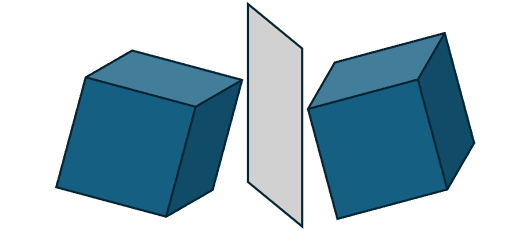
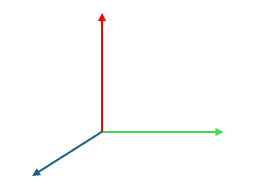
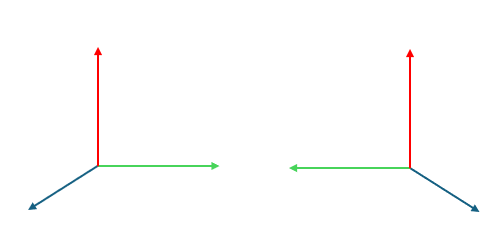
The left image shows a right-handed system, and the right image shows a left-handed system (with blue, green, and red representing the x, y, and z axes respectively). The most common local coordinate system is the right-handed system. To determine if a frame is right-handed, curl the fingers of the right hand from x to y, and if the thumb points in the z direction, it is a right-handed system.
The way we kernel to get whether a standard frame is right-handed or not is:
bool IsDirect() const
Is the 3D frame right-handed.
Definition: FrameT.hpp:476
Local Coordinate System
A frame can represent a local coordinate system, which simplifies the construction of spatial curves and surfaces.
Transformation
There are three main transformations: transforming from a local coordinate system to the global coordinate system, transforming from one local coordinate system to another, and constructing affine transformations to translate, rotate, or mirror one frame to another. Refer to the transformation section above for more details.


 1.9.3
1.9.3